Through our Domain of One’s Own program, students, faculty, and staff have access to a  create a personal website, which allows users to put things they want on the internet and decide how it is presented.

By setting up a domain you can:

  • Pick a domain name- A domain is essentially what someone would type into a browser to access your site. You’ll get to pick your sites name followed by .domains.trincoll.edu ([example].domains.trincoll.edu).This also allows you to have subdomains and folders so you can keep all your content under one umbrella ([example].domains.trincoll.edu/photography and [example].domains.trincoll.edu/research can also exist)
  • Host your content– Server-based file and media storage are provided for your site.
  • Stay in control of what you share, how your content is displayed, and how it evolves.

Unlike social media platforms or closed systems, a domain of your own gives you the freedom to build something that reflects your goals, your voice, and your creativity without content form restrictions, unwanted ads, or forced structure.

A personal website can take many forms. It might be a professional portfolio, a research hub, or a space to explore ideas and share them publicly. Whether you’re documenting a project, telling a story, or building a body of work over time, your site becomes a living record of your learning and growth.Along the way, you’ll develop valuable digital skills—like organizing information, designing for an audience, and thinking critically about your online presence.

As much as we encourage everyone to set up their own domain, we also want to make sure Trinity as an organization stays organized. See this page about if a domain is right for you to ensure your content will land in the best place to reach your audience.

Once you decide a domain is right for you, here are some links to get you going.
Domain and Website Helpful Vocabulary

Creating a website familiarizes you with a lot of get skills to take beyond Trinity, but some of the content might be new. Here is a list of relevant vocabulary you might want to know about before starting.

Backend
The behind-the-scenes area where you manage your website’s content, settings, and functionality.

CMS (Content Management System)
Software that allows you to build and manage a website without needing to code.
Example: WordPress

cPanel
A web-based dashboard used to manage your hosting account. You can install applications, manage files, create email accounts, and connect your domain.

CSS (Cascading Style Sheets)
Code used to control the visual appearance of your website, including colors, fonts, and layout.

Database
A structured system that stores your website’s content, such as posts, pages, and user information.

DNS (Domain Name System)
The system that connects your domain name (like yourname.com) to the server where your website is hosted.

Domain Name
Your website’s address on the internet—what people type into their browser to find your site.

Domain Registrar
A service where you register (purchase) your domain name.

Frontend
The part of your website that visitors see and interact with.

Homepage
The main entry point of your website, often serving as an introduction to your content.

HTML (HyperText Markup Language)
The standard code used to structure content on a webpage.

Hosting (Web Hosting)
A service that stores your website’s files and makes them accessible online.

Navigation/Menu
A set of links that helps visitors move through different pages on your site.

Plugin
An add-on that expands what your website can do, such as adding forms, galleries, or security features.

Responsive Design
An approach to design that ensures your website works well on different screen sizes, including phones and tablets.

Server
A computer that stores your website’s files and delivers them to visitors over the internet.

SSL Certificate
A security feature that protects data and allows your site to use https://.

Subdomain
A subsection of your main site (e.g., blog.yourname.com).

Theme
A template that controls the look and layout of your website.

URL (Uniform Resource Locator)
The full address of a specific page on your website.

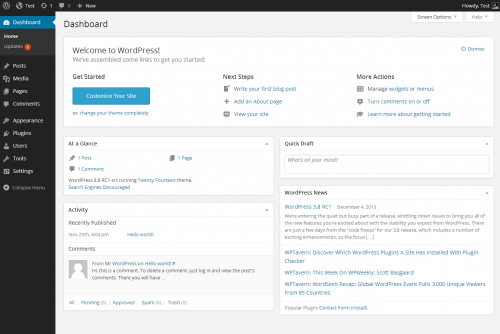
WordPress
A widely used content management system that allows you to design and manage your website through an intuitive interface