Stellic for New Students
Stellic is more than just a degree audit program, it is a powerful search and planning tool that can help you explore academic offerings, even before you declare a major. Below are some features that are particularly useful for students who are new to Trinity.
View your schedule
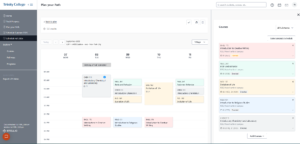 Once you have logged in at https://advising.trincoll.edu you can see your schedule for the upcoming semester by clicking the “Schedule Fall 2026” link in the left sidebar. In addition to showing the weekly view, you can also search for courses you may be interested in adding to your schedule and see when that class meets and if it conflicts with your existing classes.
The search tool has filters that allow you to specify days of the week, departments, course attributes, and more. While you are not able to add, drop, or register for classes using Stellic at this time, it provides an easy interface to plan your semester and have a conversation with your adviser about your schedule and your goals.
General Education Audit
Every student has a general education audit automatically applied to their profile based on the date you matriculated at Trinity. The general education audit tracks your progress toward earning your bachelor’s degree. Detailed information about the general education requirements is available in the Trinity College Bulletin, but the audit in Stellic shows what classes you are currently enrolled in and how those classes will fulfill the different distribution requirements.
The general education audit tracks the following:
- Your progress toward the 35 credits needed to graduate
- If the classes you are enrolled in will fulfill distribution requirements
- AP/IB credits and transfer credits that are counting toward your degree
- What requirements you have remaining
If you are a transfer student, your transfer credits from your previous institution will display as a bulk credit in the general education audit. When you have declared a major, your adviser can discuss which of your credits can be used to fulfill major requirements and apply an exception.
Explore Programs
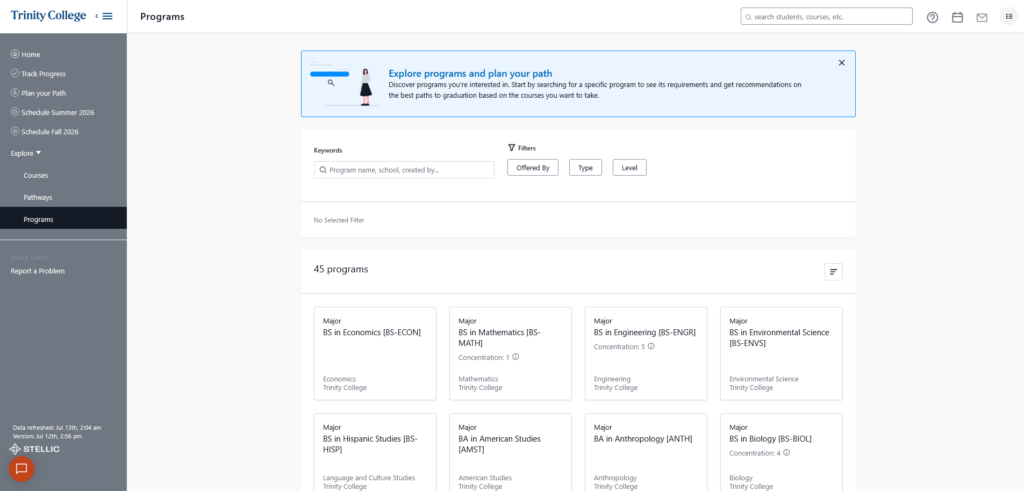 One of Stellic’s primary features is the ability to try on a major. In the left sidebar, look for the heading “Explore” and click on “Programs.” Most of the programs you can major in have been added to Stellic and more are being added during the summer.
Clicking on a program will take you to the audit for that major. The audit displays the requirements for the major, what courses count toward different categories, and how any courses you have taken, or are registered for, will slot into place.
If you would like to add the program to your plan, click the “Add Program” button in the top right of the screen. Adding the program here is not officially declaring the major but it allows you to see what courses you might want to consider and gives you the opportunity for a more detailed discussion with your adviser when it is time to register for the next semester.
Stellic’s Planner
During advising week in the middle of the semester, you can use Stellic to search for courses and build out your pathway for the next semester. The planner is a drag and drop interface that uses the same robust filtering as the course search.
In one place you can:
- Search for courses by keywords, department, instructor
- Find out if there are prerequisites for a course and if you have met them
- Know what those courses will count for in your gen ed audit or major program
- Prepare for your advising meeting by building a plan that your adviser can also see
To view the Planner, either click the “Plan Your Path” link in the left sidebar or from the home screen, click “Go to Planner” in the center tile.
Stellic Knowledge Base
There is much more to Stellic than is covered in this brief overview. Take advantage of Stellic’s Knowledge Base to learn about all of its features.